Timeslicer vs RescueTime
RescueTime tells you how productive your activity was. Timeslicer tells you what the activity was. Both run in the background with no timers to start, and they answer genuinely different questions.
The short answer
Choose Timeslicer if you want to end the week able to say what you actually worked on, in the names of real pieces of work rather than a percentage.
Choose RescueTime if you want one comparable number tracked over years, if you need your phone included, or if your firm requirement is that no tool ever reads what is on your screen.
RescueTime facts here were checked against RescueTime's own pricing page, privacy policy and help documentation on 3 September 2026. Prices were read from the pricing page itself rather than from third-party articles, several of which predate RescueTime's plan renaming.
A score, or a task list
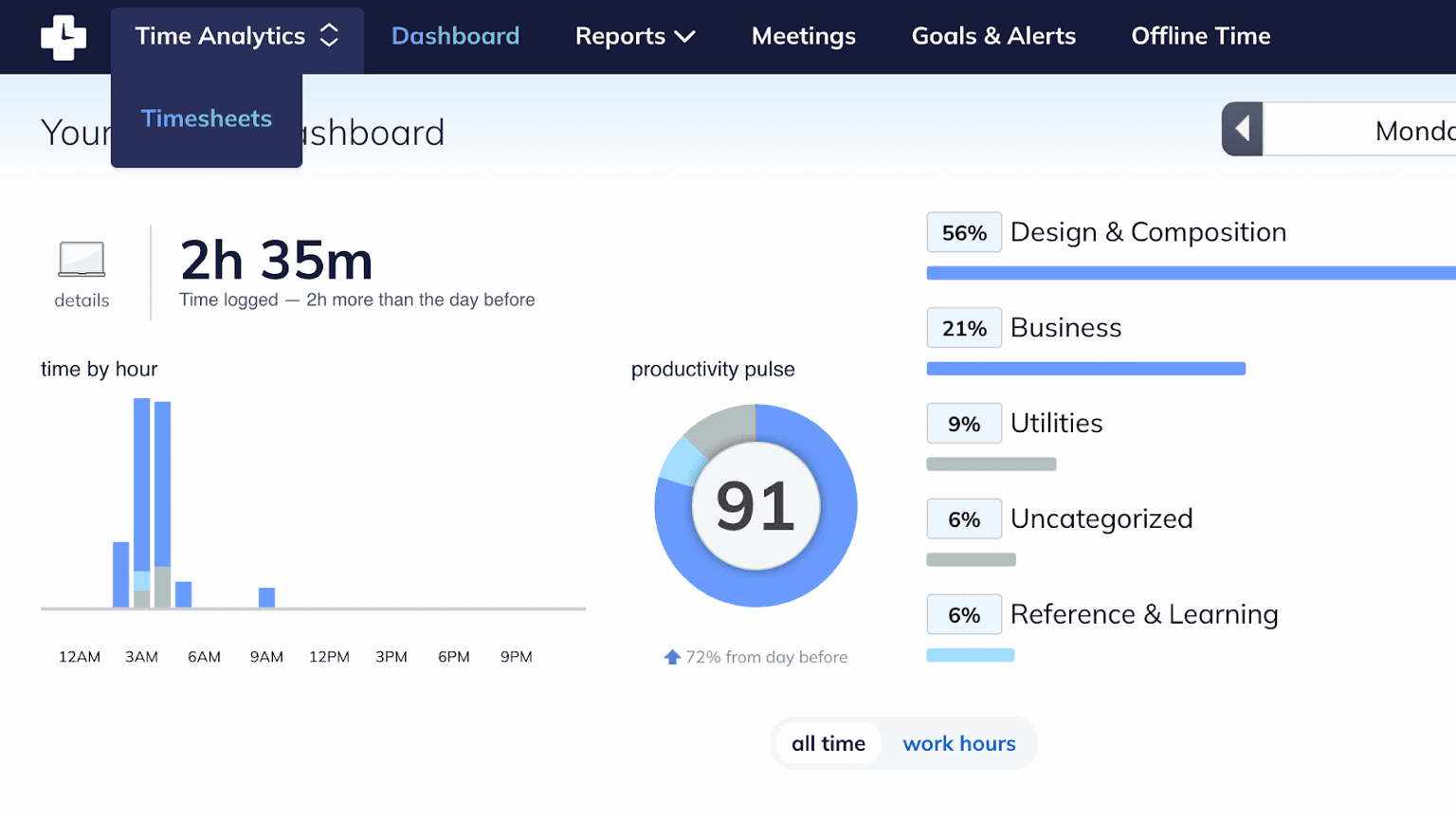
RescueTime sorts your activity into five productivity levels, from Focus Work through to Distracting, and rolls them into a single number between zero and one hundred called the Productivity Pulse. The categories come from global defaults and you can override them. The formula is published and deterministic, which is what makes the number comparable across months and years.
Alongside the score it reports where the hours went by category: Design and Composition, Business, Utilities, Reference and Learning, and whatever it could not place, which it labels Uncategorized.
What its documentation does not describe is task inference. RescueTime records that you spent an hour in your editor, and files it under a category. It does not work out which feature you were building.
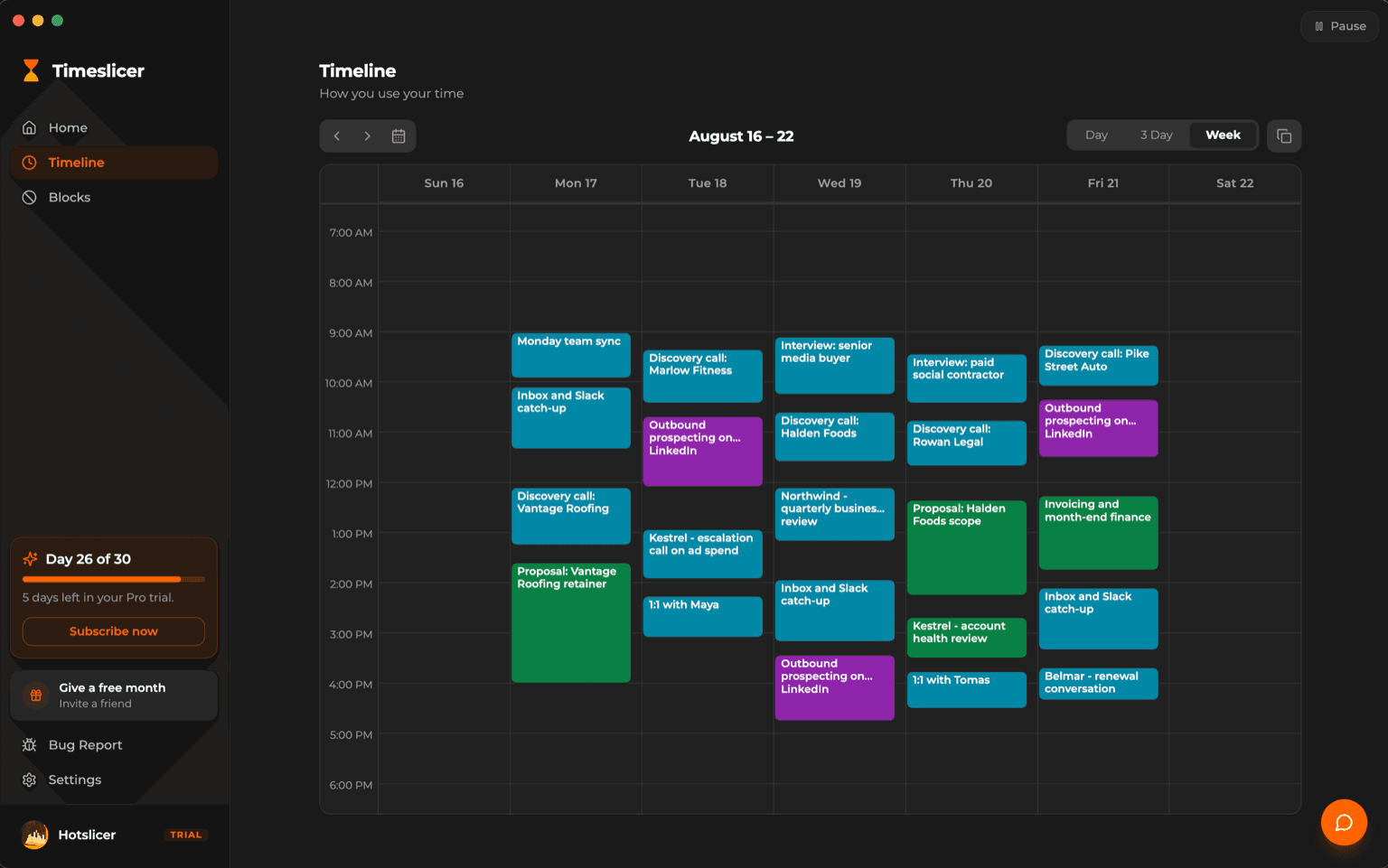
Timeslicer starts from the opposite end. It groups fragmented activity into a named block, then shows the category and application totals underneath it. You get the breakdown RescueTime gives you, plus the layer that says which piece of work it was.
The trade RescueTime made, and the one we made
RescueTime's privacy policy is unusually direct. It states that the company does not, and never will, collect keystrokes, form input, screenshots, or window and page body content. It records the application name, the URL, the window title, and start and end times.
That is the more conservative position, and it deserves to be said plainly rather than buried. If your requirement is that no tool ever reads what is on your screen, RescueTime meets it and Timeslicer does not.
It is also the reason RescueTime cannot name your tasks. The two facts are the same fact. Reading the content is what makes specific task names possible, so a product that refuses to read content is choosing not to offer them.
Timeslicer made the other trade, and puts it behind a switch. Window snapshots are off until you turn them on. When enabled, Timeslicer reads text from the front window, sends that text to Google and OpenAI for inference, and discards the image immediately. Those providers cannot train on it and delete it within thirty days, and Timeslicer's own servers never receive your task history at all.
Full detail on what Timeslicer does with your data, including what we cannot promise.
Side by side
| Timeslicer | RescueTime | |
|---|---|---|
| Names the task you worked on | Yes, automatically | Not described in its documentation |
| Reads screen content | Only if you enable snapshots | Never, by stated policy |
| Where your history is stored | On your device | RescueTime's cloud |
| Single long-run score | No | Productivity Pulse, published formula |
| Goals, targets and nudges | None | Daily focus goals, alerts, overwork flags |
| Free tier | Keeps history, manual blocking, 5 AI blocks per day | Lite tracks automatically, with limits |
| Free tier limits | No automatic tracking | Two week history, one goal, no detailed titles, no Focus Sessions, 30 minute sync |
| Mobile | None | First party iOS and Android |
| Time away from the computer | Not reconstructed | Entered by hand, on paid tiers |
| Idle time | Not reclassified | After 5 minutes, the record stops and those minutes are subtracted |
| Invoicing and timesheets | None | On the Solo+ tier |
| AI access to your data | MCP, read only queries | Not offered |
What you pay
| Timeslicer | RescueTime | |
|---|---|---|
| Free tier | History, manual blocking, 5 AI blocks per day | Lite, which tracks automatically with limits |
| Trial on paid plans | 30 days of Pro | 14 days |
| Individual, annual | 6.99 US dollars per month | Solo 7 per month at 84 a year; Solo+ 12 per month at 144 |
| Individual, monthly | 6.99 US dollars per month | Solo 9 per month; Solo+ 15 per month |
| Teams, annual | Contact sales | Team 10 per user per month at 120 a year; Team+ 16 at 192 |
| What the higher tier adds | Not applicable | Solo+ and Team+ add Timesheets on top of Focus |
RescueTime splits its plans into Focus and Timesheets tiers, at individual and team scale. All paid plans carry a fourteen day free trial, and RescueTime states it does not charge sales tax or VAT. If a payment fails, an account reverts to the free Lite plan rather than being cut off.
The free tier question, answered honestly
RescueTime wins this one. Its Lite tier is genuinely free and genuinely tracks your time automatically. The limits are real: two weeks of report history, one goal, no detailed window title tracking, no Focus Sessions, no alerts, no offline time, and syncing every thirty minutes instead of every three.
Timeslicer's free tier does not track. Automatic time tracking is what the Pro subscription pays for. What free keeps is the history you already built, manual blocking, and five AI blocks per day. If your requirement is tracking time without paying anything, RescueTime does that and Timeslicer does not.
Timeslicer gives thirty days of Pro to start, which is long enough to see a real month of your own work before deciding. RescueTime's paid trial is fourteen days.
Where RescueTime is the better choice
- You want your phone included. RescueTime has first-party iOS and Android apps with automatic tracking. Timeslicer has no mobile app. Worth knowing: RescueTime's iOS data stays on the phone and does not join desktop reports.
- No tool may ever read your screen. A clear policy commitment, and the cleanest reason to pick RescueTime over Timeslicer.
- You want one number over years. Productivity Pulse has a published formula, so it stays comparable over time.
- You want goals and coaching, not just a record. RescueTime sets daily focus targets, tells you when you missed one, counts focus sessions, and flags overwork days and downtime spent working. Timeslicer reports what happened and leaves the judgement to you. If you want a tool that nudges, RescueTime does that and Timeslicer does not.
- You invoice from tracked time. Timesheets, project tracking, billable rates and invoicing on Solo+. Timeslicer has none of this.
- You want a real free tier. As above.
Where Timeslicer is the better choice
- You want to know what you worked on. Named tasks rather than categories, with no projects to configure first.
- You would rather your history stayed on your machine. Timeslicer's servers never receive your task data. RescueTime's reports live in its cloud.
- You want your AI tools to query your time. Timeslicer exposes a read-only MCP interface, so you can ask questions of your own history. RescueTime does not offer one.
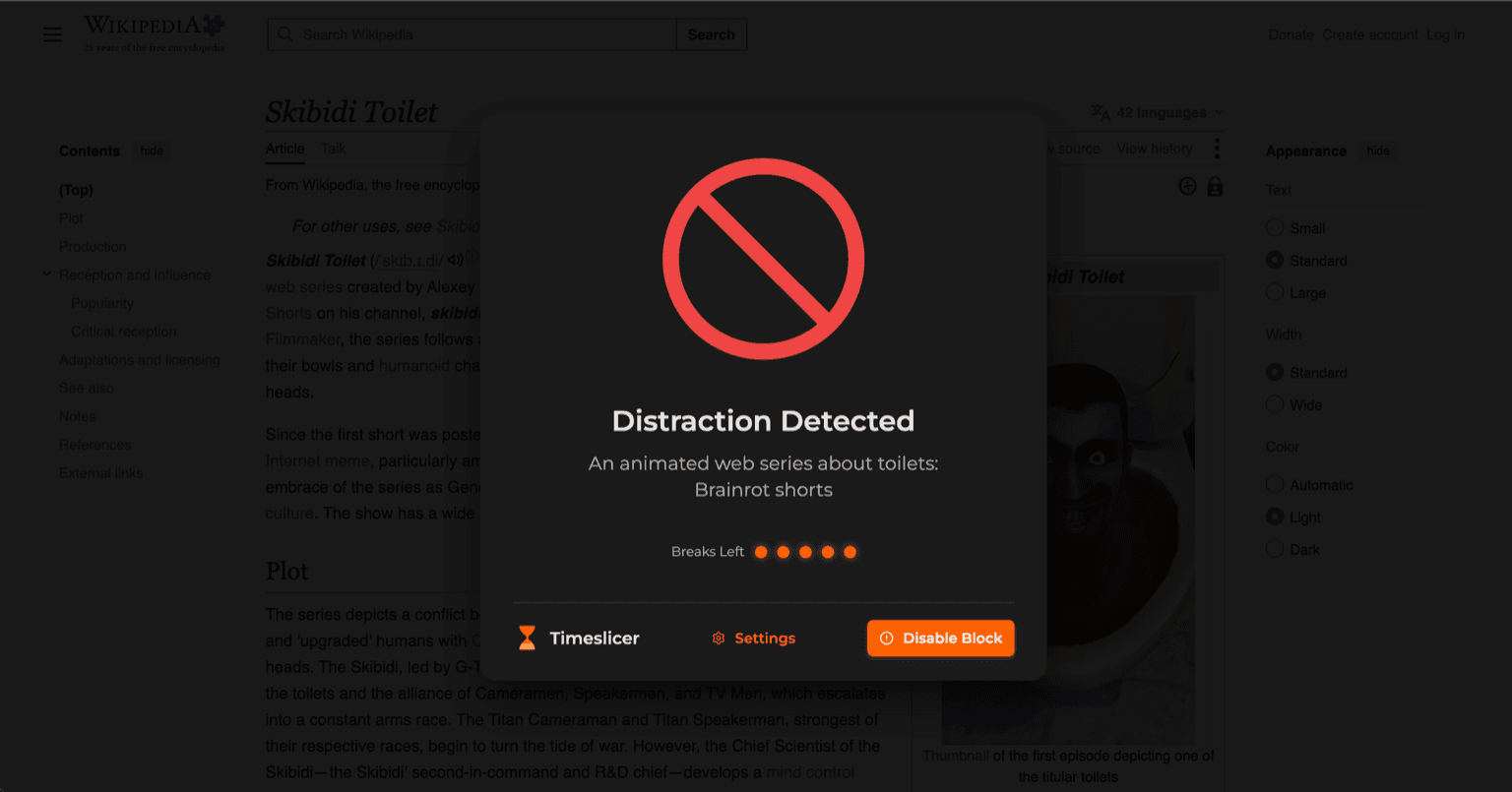
- You want blocking that follows content. Useful when the distraction lives on a domain you also need for work.
What neither does well
Neither will reconstruct work you did away from the computer unless you enter it. Neither runs on Linux as a documented, supported platform. Both depend on categorization that is sometimes wrong and worth reviewing rather than trusting blindly.
Try Timeslicer
Thirty day Pro trial. Mac and Windows.
Sources
RescueTime claims come from its own pricing page, privacy policy and help documentation, checked 3 September 2026. Prices were read directly from the pricing page rather than from third-party articles, several of which are out of date on RescueTime's plan names. Timeslicer data handling comes from our privacy policy.
Related: Timeslicer vs Rize, what Timeslicer does with your data, and seeing what you actually worked on.
Last verified 3 September 2026.